Sustain
November 8, 2026
· 5 min read
Print it, play it, keep it: everything you can make from your album
0:00 / 0:49
An album is finished when you can hold it, play it or send it. Everything you can make from a Sustain album is now in one place: the Export pane.
It opens beside the album, so the book stays in view while you choose. Order the printed book, watch the album as a film, read every page as a PDF, and find everything you made before, without leaving the page.
Open the Export pane
Open any album and press Export at the top right. The pane slides in beside the book and opens on Order print.
The pane has four parts: Order print, Video, PDF and Your exports. The one you are in fills the pane, and the other three wait as buttons along the bottom. Press one to switch.
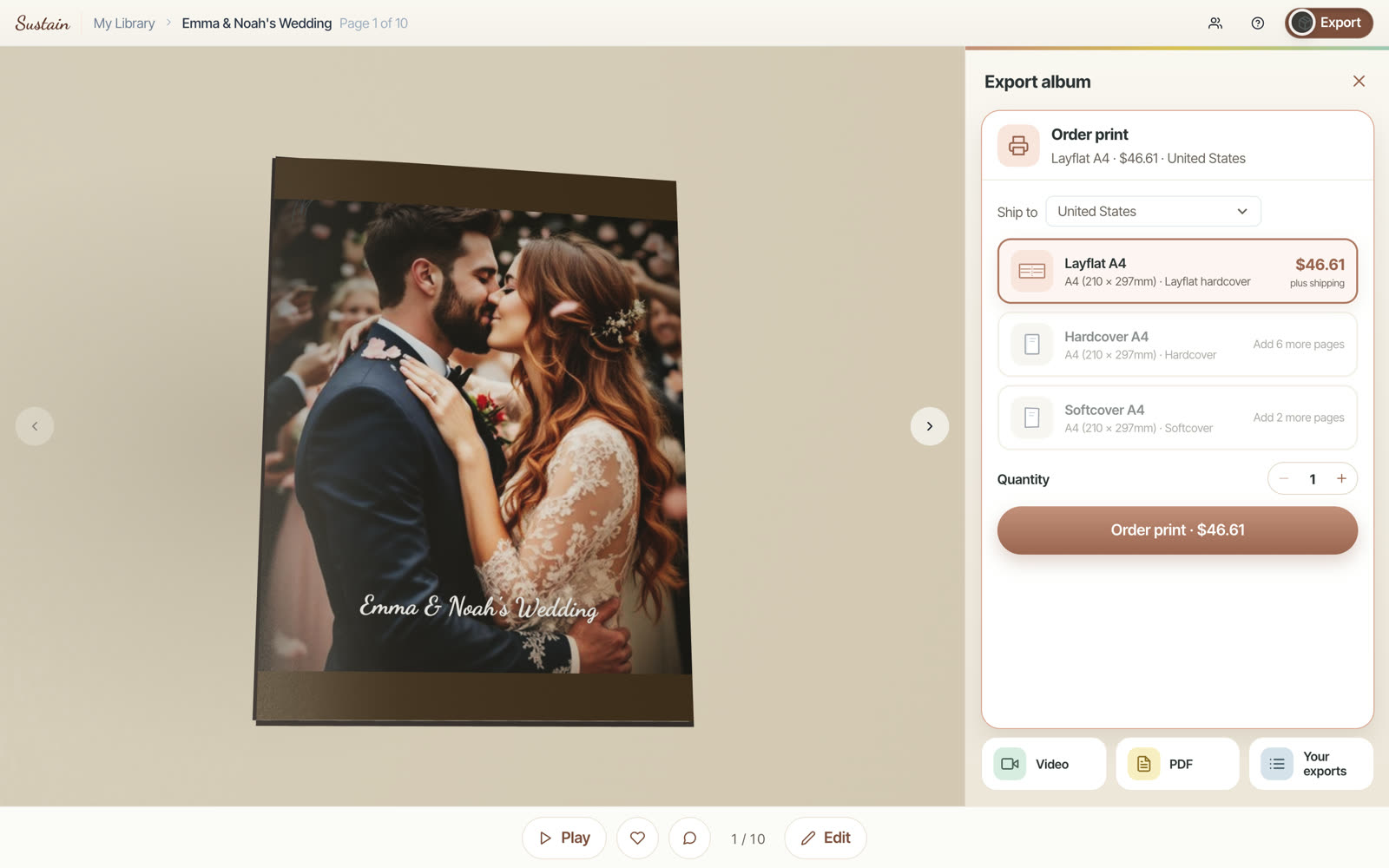
Order the printed book
Choose where it goes
Pick a country in Ship to. The prices change to that country’s currency and to what printing and delivery cost there. Prices are for the book; shipping is added at checkout.
Choose the book
Each format shows its own price. If your album is too short for a format, the pane says how many more pages it needs, for example Add 6 more pages, instead of letting you order a book that cannot be printed.
Choose how many
Use + and − next to Quantity to order up to ten copies at once — one for you, one for each set of grandparents. The button always shows the total, for example Order 2 books · $90.72.

Order
Press the button to go to checkout. Nothing is charged until you pay there.
The book comes first
If you changed the album since it was last prepared, the viewer first builds the 3D book again, page by page. The print options and prices appear as soon as it is ready, so what you see is exactly what will be printed.
Watch your album as a film
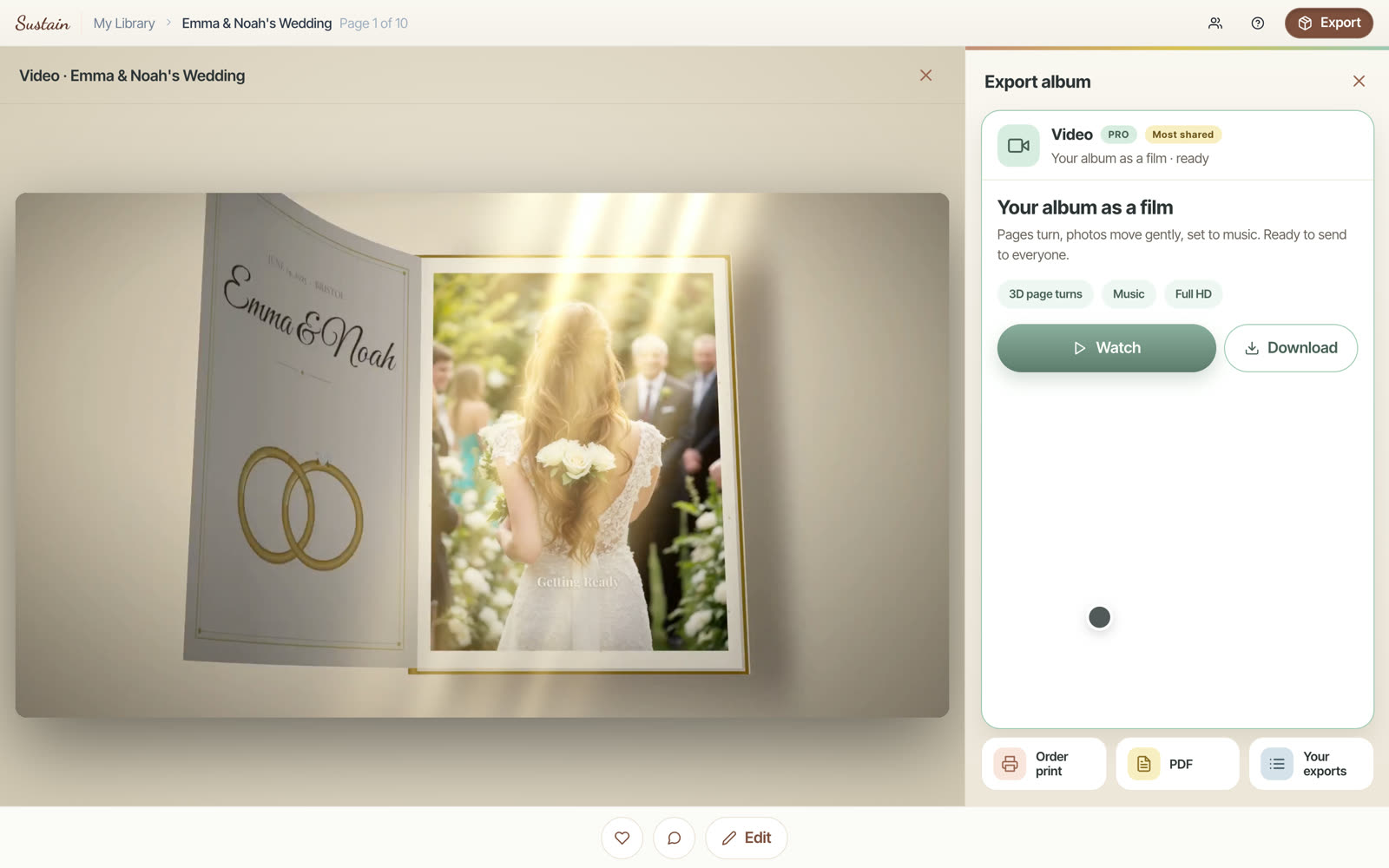
Open Video and press Create the video. Sustain turns the album into a film: pages turn in 3D, photos move gently, and it is set to music, in Full HD.
Making a film takes a few minutes. You can close the page — it keeps going, and we email you when it is ready. When it is, press Watch and it plays right where the book was. Download saves the file, ready to send to everyone.
A film of every album is included with Pro.
Read every page as a PDF
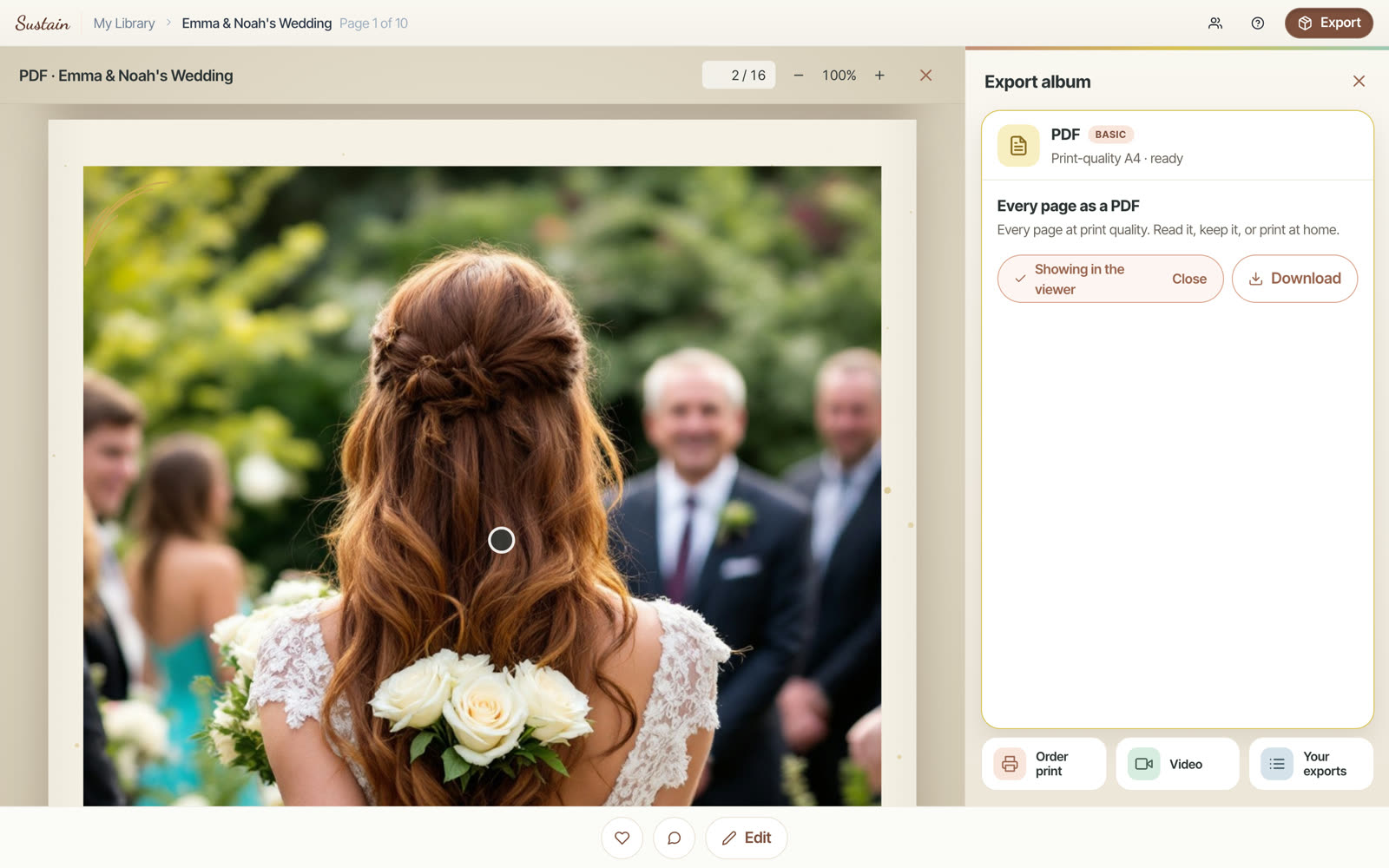
Open PDF and press Create the PDF. You get every page at print quality — to read, to keep, or to print at home.
Press View to read it right in the viewer, with a page number box and zoom, or Download to save it. A PDF of every album is included with Basic.
Give it a moment
Print quality means big pages. In a long album the first pages can take a little while to appear in the viewer — they are loading, not missing.
Find everything you made
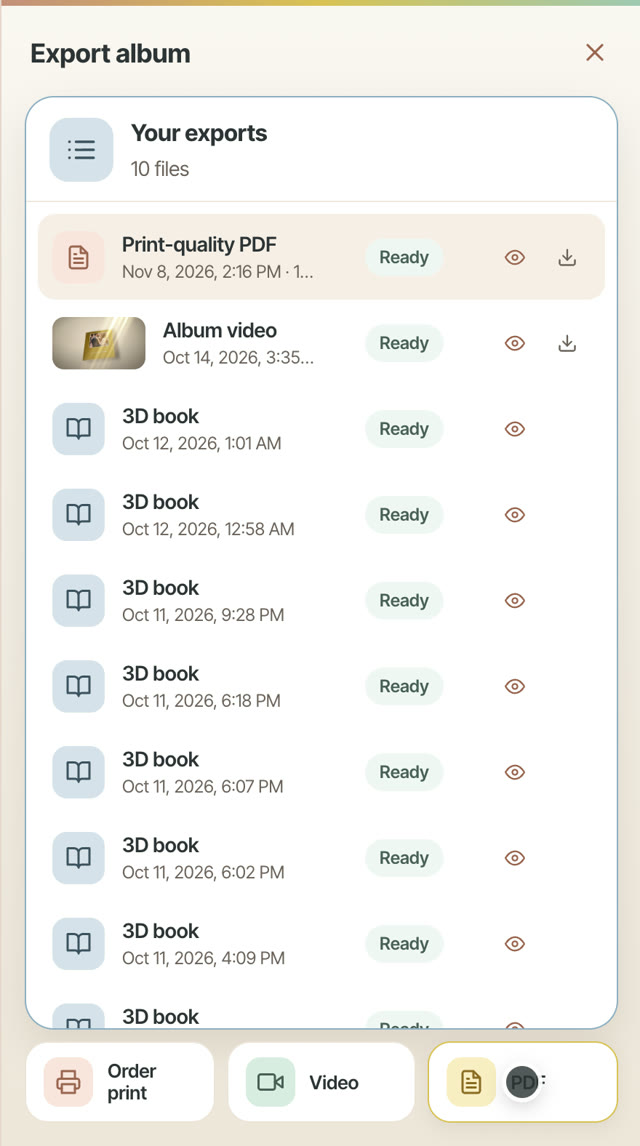
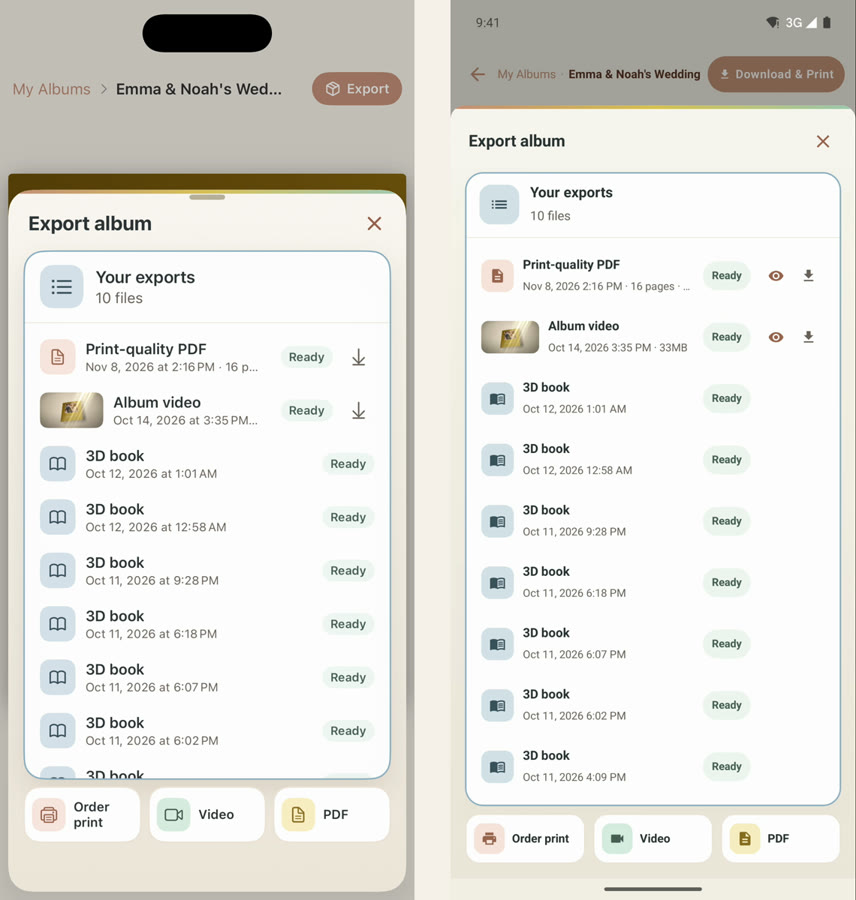
Your exports lists every film, PDF and 3D book you made of this album, newest first, each with its date and a status: Ready, In progress, or Failed with Try again.
When you change the album after making a film or a PDF, the old one is marked Older version. The pane tells you the album changed and offers Re-create, and you can still View the previous one.
The same pane on your phone
The iPhone and Android apps have the same four parts, in the same order. On iPhone the button is Export; on Android it is Download & Print. A print order on either phone continues in the app’s own checkout.
Save first
Films, PDFs and printed books are all made from the saved album. If an album was never saved, the pane says This album has not been saved yet and offers Open in editor: press Save there, then come back.
If you have unsaved changes in the editor, the pane reminds you that exports use the last saved version.
Frequently asked questions
Ready to try it?
Open your albumKeep reading
Editing your album: make every page yours
The AI gives you a finished draft — the editor is where you make it truly yours. Here’s everything you can change, panel by panel.
See why a photo didn’t make your album, and put it back
Every photo Sustain left out, grouped by why. Look at them full size, check the near-duplicate it kept instead, and put back as many as you like in a single request.
Sustain is now on Android
The full Sustain app is on Google Play: album ideas from your camera roll, an AI that builds the book, and prints and videos when it is done. Here is a one-minute tour.
Sustain
© 2026
·
Album ideas·
Compare·
AI agents·
Learn·
FAQ·
Connect your agent·
Terms·
Privacy·
Acceptable Use